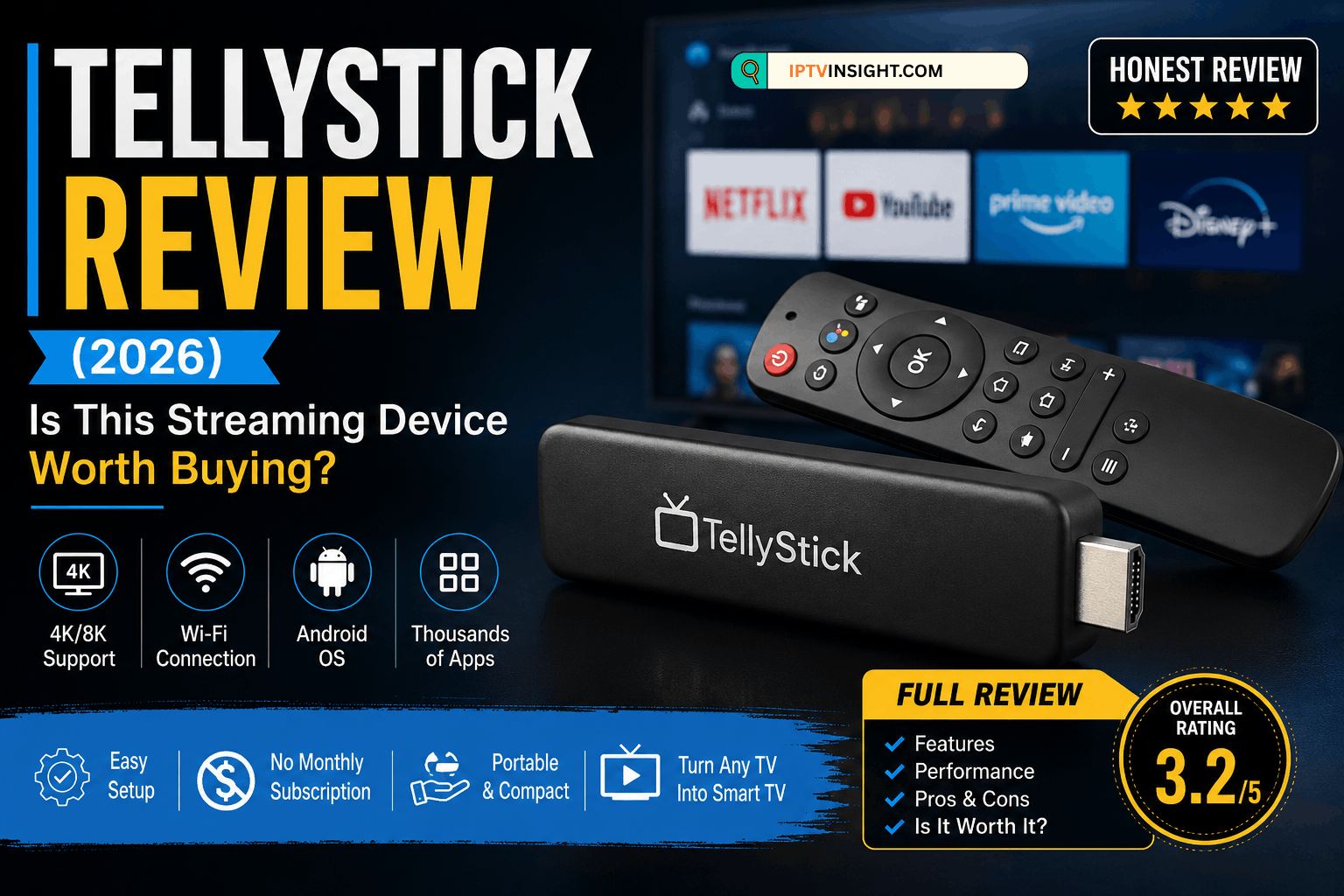

Streaming devices have become one of the easiest ways to turn any television into a smart entertainment hub. Among the many options available online, TellyStick has attracted attention with bold claims such as thousands of free TV channels, 8K streaming, and no monthly subscription fees.
But does it actually deliver on those promises?
In this TellyStick Review (2026), we examine its advertised features, hardware capabilities, customer feedback, advantages, disadvantages, and whether it’s a worthwhile purchase.
Quick Verdict: TellyStick is a basic Android-based streaming device. While it can run compatible Android streaming apps, some of its marketing claims should be viewed with caution. Users should verify compatibility and expectations before purchasing.
What Is TellyStick?
TellyStick is a compact HDMI streaming device designed to connect directly to your television. It operates similarly to other Android streaming sticks by allowing users to install compatible applications and access internet-based entertainment.
Unlike traditional cable boxes, it relies entirely on an internet connection.
Key Features
| Feature | Details |
|---|---|
| Device Type | Android Streaming Stick |
| Connection | HDMI |
| Internet | Wi-Fi |
| Operating System | Android-based |
| Voice Control | Depends on model |
| App Installation | Android Apps |
| Video Output | Up to advertised 4K/8K (content and TV dependent) |
| Storage | Varies by model |
| Remote Included | Yes |
Setup Process
Setting up TellyStick is straightforward:
- Plug the device into your TV’s HDMI port.
- Connect the power cable.
- Connect to Wi-Fi.
- Sign in to your preferred streaming apps.
- Begin streaming.
Most users can complete setup in just a few minutes.
Performance
Performance depends largely on:
- Internet speed
- TV compatibility
- Installed applications
- Device hardware
Basic streaming generally works well for compatible apps, although some users report occasional lag or buffering with heavier workloads.
User Interface
The interface resembles a standard Android TV experience.
Users can:
- Install supported apps
- Organize applications
- Adjust display settings
- Connect Bluetooth accessories
- Manage storage
Navigation is relatively simple for first-time users.
Streaming Quality
TellyStick advertises support for high-resolution playback.
Actual streaming quality depends on:
- Your television
- Internet connection
- Streaming service
- Available content
While some listings mention 8K support, very little streaming content is currently available in native 8K, and users should not expect all services to stream at that resolution.
App Compatibility
TellyStick supports many Android-compatible applications, including:
- YouTube
- Netflix
- Prime Video
- Disney+
- Plex
- Kodi
- VLC Media Player
Availability and performance depend on app compatibility and licensing.
Pros
- Easy installation
- Compact design
- Supports many Android apps
- Portable
- Works on most HDMI TVs
- Affordable compared to premium streaming devices
Cons
- Marketing claims may create unrealistic expectations.
- Performance varies by hardware version.
- Some users report Wi-Fi stability issues.
- Customer experiences with returns and refunds are mixed.
- Limited long-term software support compared with major brands.
Customer Reviews
Customer feedback is mixed.
Positive Comments
- Easy to install
- Compact design
- Helpful customer support
- Good for casual streaming
Negative Comments
- Some advertised features may be overstated.
- Connectivity problems reported by some users.
- Performance may not match premium streaming devices.
- Mixed experiences with warranty and returns.
TellyStick vs Fire TV Stick
| Feature | TellyStick | Amazon Fire TV Stick 4K |
|---|---|---|
| Setup | Easy | Easy |
| Software Updates | Limited | Frequent |
| App Ecosystem | Android-based | Extensive |
| Brand Reputation | Smaller brand | Established |
| Voice Assistant | Model dependent | Alexa |
| Performance | Average | Excellent |
Is TellyStick Legit?
TellyStick is a real streaming device sold online. However, prospective buyers should carefully evaluate promotional claims such as unlimited free premium television or guaranteed 8K streaming, as actual functionality depends on compatible services, content availability, internet speed, and hardware capabilities.
As with any streaming device, access to subscription-based services still requires valid accounts where applicable.
Who Should Buy TellyStick?
TellyStick may be suitable for users who:
- Want an inexpensive Android streaming stick.
- Need a portable device for travel.
- Primarily stream free or already subscribed services.
It may not be the best choice for users seeking the fastest performance, long-term software updates, or a premium streaming experience.
Final Verdict
TellyStick offers a simple way to add streaming capabilities to a television and can handle everyday media playback with compatible apps. However, buyers should approach bold advertising claims carefully and compare it with established alternatives before making a purchase.
For users who prioritize consistent performance, regular updates, and broad app support, mainstream streaming devices from well-known manufacturers may provide better long-term value.
Overall Rating: 3.2/5
| Category | Rating |
|---|---|
| Ease of Setup | ⭐⭐⭐⭐⭐ |
| Performance | ⭐⭐⭐☆☆ |
| Features | ⭐⭐⭐⭐☆ |
| Value for Money | ⭐⭐⭐☆☆ |
| Software Support | ⭐⭐☆☆☆ |
| Overall | 3.2/5 |
Frequently Asked Questions
Is TellyStick free to use?
The device itself does not require a monthly fee, but many streaming services and apps require their own subscriptions.
Does TellyStick support 4K or 8K?
Support depends on the specific model, your TV, the streaming app, and the availability of compatible content.
Can I install Android apps?
Yes, TellyStick supports many Android-compatible applications.
Does TellyStick include live TV?
The device itself does not include live TV services. Access to live television depends on the apps or services you install and use.
Is TellyStick worth buying?
It can be a reasonable option for budget-conscious users who understand its limitations. Those seeking a more polished and consistently supported experience may prefer established streaming devices from major brands.