
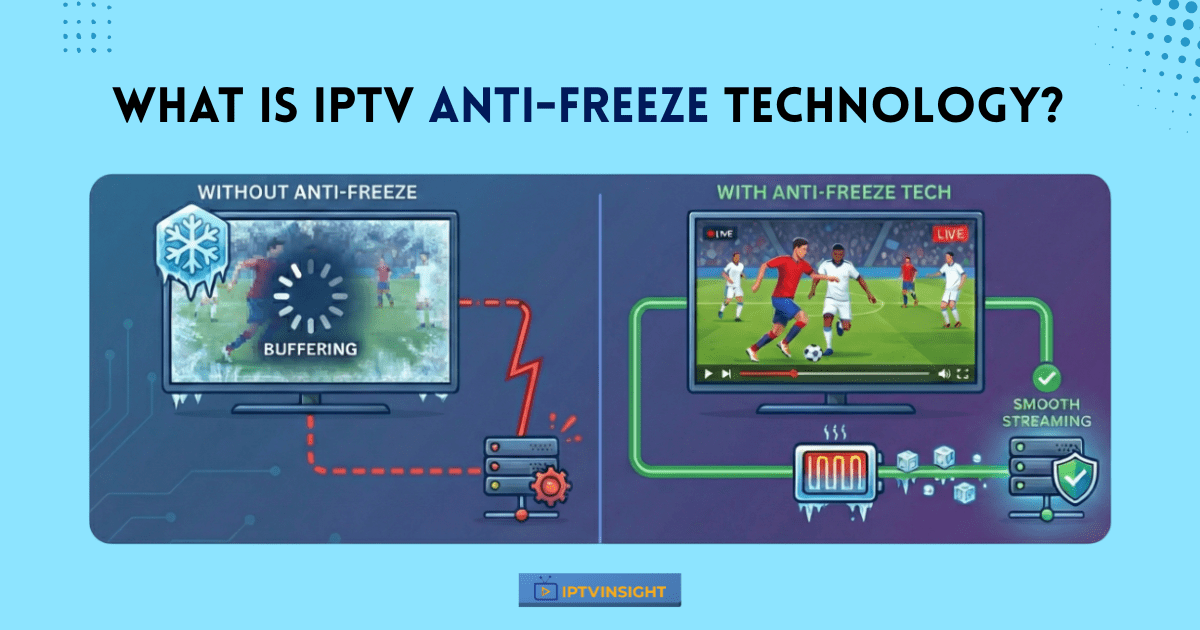
Buffering and freezing are the most common problems IPTV users face, especially during live sports or peak viewing hours. To reduce these issues, many IPTV services now use Anti-Freeze™ 9.8 technology as part of their streaming setup.
This guide explains what IPTV anti-freeze technology is, how it works, and why it matters—using simple language and real-world examples.
What Is Anti-Freeze Technology in IPTV, and Why It Matters
In IPTV, Anti-Freeze™ 9.8 technology is designed to keep video streams stable when internet conditions change. Instead of allowing the stream to stop or freeze, it helps the system adapt in real time—reducing buffering, preventing sudden freezes, and maintaining smooth playback during busy hours or minor speed drops. This makes it especially important for live TV, sports channels, and HD or 4K streaming.
Without anti-freeze support, IPTV streams are more likely to struggle due to server overload, slow or unstable internet connections, ISP throttling, or network data loss. These issues often lead to continuous buffering, black or frozen screens, and a poor live-TV experience—especially during peak viewing times.
Anti-freeze technology helps manage these problems before they affect playback.
How Antifreeze Technology Works (Easy Explanation)
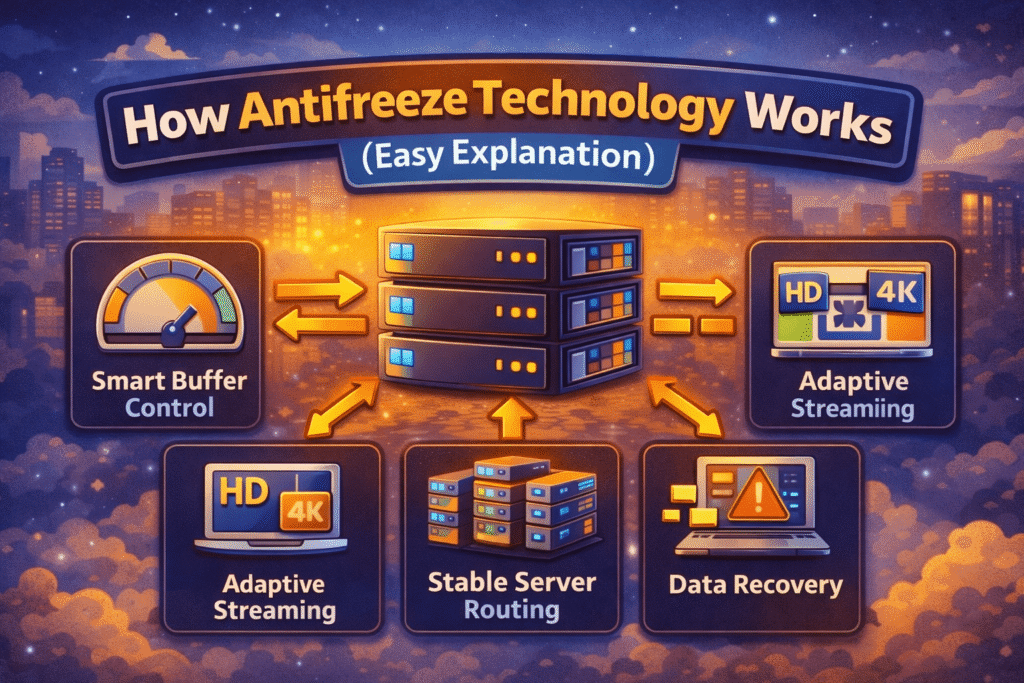
Anti-freeze IPTV systems work in the background using a few smart methods:
• Smart Buffer Control
The stream adjusts its buffer automatically when internet speed changes, helping video continue playing smoothly.
• Adaptive Streaming
If the connection slows down, video quality adjusts briefly instead of stopping the stream.
• Stable Server Routing
Streams are delivered through multiple servers, reducing overload and improving uptime.
• Data Recovery
Missing video data is quickly re-sent to avoid freezes.
Together, these steps improve overall streaming stability.
How Anti-Freeze Improves Live IPTV Streaming
Live TV is where antifreeze technology matters most.
It helps by:
- Reducing lag during live sports
- Keeping channels stable during peak hours
- Making channel switching faster
This creates a smoother viewing experience for long live sessions.
Anti-Freeze IPTV vs Regular IPTV
| Feature | Regular IPTV | Anti-Freeze IPTV |
|---|---|---|
| Buffering | Common | Reduced |
| Live TV Stability | Average | Better |
| Peak-Hour Performance | Weak | Stronger |
| Channel Switching | Slower | Faster |
Does Anti-Freeze Mean No Buffering at All?
No IPTV service can completely remove buffering.
However, Anti-Freeze™ 9.8 technology greatly reduces how often buffering happens—as long as:
- Internet speed is sufficient
- A reliable IPTV app is used
- The device is properly set up
User Suggestion: Anti-Freeze Settings & Player Compatibility
Some experienced IPTV users suggest that so-called “anti-freeze” features do not always work the same way across all IPTV apps and players. In community discussions, especially among TiviMate users, a standard recommendation is to avoid relying only on provider-side anti-freeze claims.
Many users have noticed that when an IPTV provider applies aggressive anti-freeze or buffering control from their end, it can sometimes conflict with the IPTV player’s own buffering system. This may result in unexpected freezes, delayed channel loading, or playback instability—particularly in advanced players like TiviMate that already manage buffering efficiently.
What users commonly suggest:
- Let the IPTV player handle buffering whenever possible
- Avoid enabling multiple “anti-freeze” systems at the same time
- Use default or minimal buffer settings in the app
- Focus on stable servers and good internet speed instead of forced anti-freeze tweaks
In short, anti-freeze works best when the provider’s setup and the IPTV player are correctly balanced, not when both try to control buffering aggressively.
Practical Advice for IPTV Users
Based on user feedback:
- If your IPTV player runs smoothly, avoid extra anti-freeze adjustments
- If freezing happens, test with default player settings first
- Use anti-freeze features as a support system—not a replacement for good servers or stable internet
This approach often results in more stable streaming and fewer playback issues.
10 Tips to Get the Best Antifreeze Performance
To get the most out of Anti-Freeze IPTV:
- Use a stable internet connection (minimum 25-30 Mbps for HD and 40 Mbps for 4K) to reduce freezing.
- Prefer a wired Ethernet connection instead of Wi-Fi for more consistent streaming.
- Let the IPTV player manage buffering and avoid using multiple anti-freeze settings together.
- Choose a reliable IPTV player known for smooth playback and good buffer handling.
- Limit other heavy internet usage while streaming live TV or sports.
- Restart the IPTV app regularly to clear cache and maintain performance.
- Keep your IPTV app, player, and device updated for better stability.
- Test IPTV performance during peak hours to check real server reliability.
- Use a VPN only if ISP throttling is an issue, and avoid slow or free VPNs.
- Treat anti-freeze as a support feature, not a replacement for good servers and stable internet.
Things to Consider Before Choosing an IPTV Service
Before buying any IPTV subscription, take time to review the plan features carefully. Check whether the service includes anti-freeze technology, as this directly affects streaming stability—especially for live TV and sports. If a free trial is available, always test it first during peak hours to see how smoothly the channels load and whether buffering occurs. Pay close attention to stream quality, channel switching speed, and overall reliability. If you notice frequent buffering or freezes during the trial, it’s better to avoid that service rather than commit to a long-term plan. Choosing IPTV based on real performance—not just promises—helps you avoid frustration later.
Legal IPTV & Streaming Alternatives (Safe & Reliable)
If you prefer secure, stable, and fully legal streaming, the following platforms are trusted alternatives. They offer licensed content, consistent performance, and reliable customer support.
YouTube TV
Features: Live TV, cloud DVR, major US networks
Benefits: Legal, stable streams, no buffering issues, excellent app support
Hulu + Live TV
Features: Live TV + on-demand content, popular shows and movies
Benefits: Licensed content, smooth streaming, reliable servers
Sling TV
Features: Affordable live TV plans, customizable channel packs
Benefits: Budget-friendly, legal, good performance on most devices
FuboTV
Features: Sports-focused live TV, 4K content on select channels
Benefits: Strong sports coverage, stable streaming, secure platform
Amazon Prime Video Channels
Features: Add-on live channels and on-demand content
Benefits: Trusted ecosystem, high streaming quality, legal access
Why Legal Streaming Services Are a Safer Choice
Good IPTV and streaming platforms provide:
No risk of sudden service shutdowns
Licensed and secure content
Consistent streaming quality
Better privacy and account safety
Reliable customer support
1. What is IPTV anti-freeze technology?
It is a feature that helps reduce buffering and stream freezes by keeping IPTV playback stable when internet conditions change.
2. Does antifreeze technology stop buffering completely?
No, but it significantly reduces buffering when you have a stable internet connection and a reliable IPTV player.
3. Is antifreeze important for live TV and sports?
Yes, it helps keep live channels and sports streams smooth during peak viewing hours.
4. Why does IPTV still freeze sometimes?
Freezing can happen due to slow internet, server overload, ISP throttling, or player configuration issues.
5. Should I test antifreeze before buying IPTV?
Yes, always use a free trial if available and test performance during busy hours.
Final Thoughts
IPTV anti-freeze technology plays an important role in improving streaming stability. While it cannot fix every issue, it significantly improves live TV performance and reduces buffering in real-world use.
For a better IPTV experience, always look at anti-freeze support along with VOD, EPG, and multi-device features, rather than relying on one feature alone.